• Hi Stampers,

    Are you ready for this week's ColorLab color Experiment?
    ColorChallenge31

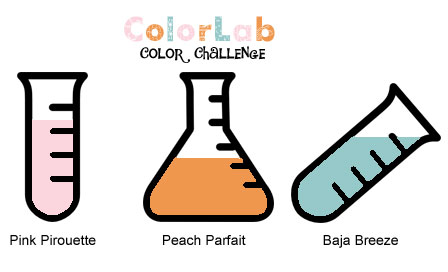
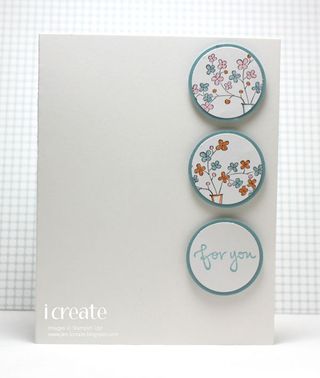
    The colors for this challenge are:

    Pink Pirouette, Peach Parfait, and Baja Breeze

    Our Design Team Chemist have already conducted a few experiments to help inspire you. Check out their results and then get started on your own creations!

    Post your creation online and link directly to the project using Inlinkz.

    • Share your opinion of this color combo – visit the ColorLab, enter in the colors and you can search for the combo. Once you find the combo you can rate it!
    • We LOVE to use our Stampin’ Up! Products, but we welcome you to use any brand of product you wan to create your projects. If you're having trouble figuring out what colors will work for this challenge check out the ColorMatcher Lab – it will cross match colors between some of the most popular color lines out there!
    • Have fun being inspired and creating!
      Jen
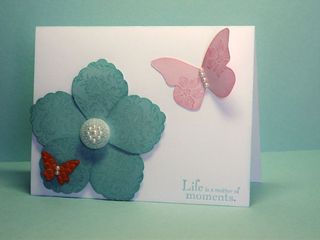
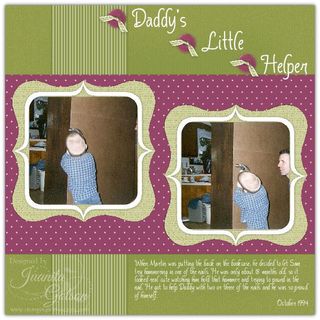
      IMG_0313

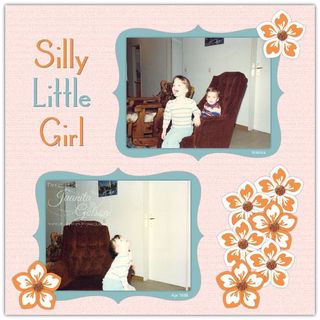
    Juanita

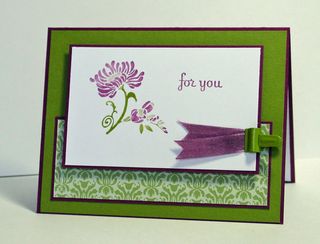
      2011-February-007

    Jen T.

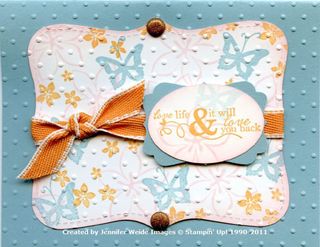
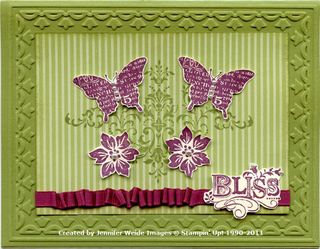
    CL31-Blossomandbutterflies
     

    Jennifer

      ColorLab31


    http://www.inlinkz.com/cs.php?id=37383

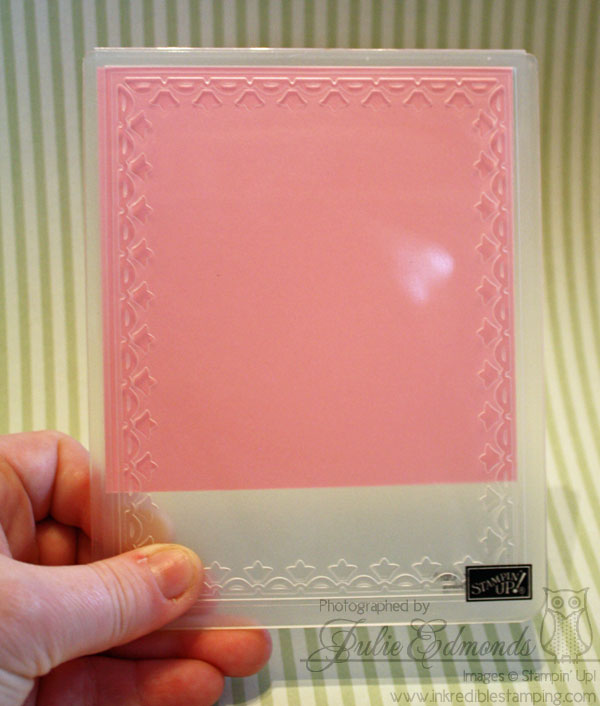
  • Earlier in the week when I posted my Swap / Color Challenge Card I promised you I would post a tip on how to get the Tulipe Frame to become a square insteas of a rectangle. This is a super fun and easy trick. I love easy tricks that make your crafting supplies even more versitile than they already are!

    IMG_3091

    1. Start with a square of card stock that measures 4-1/8" on all sides.
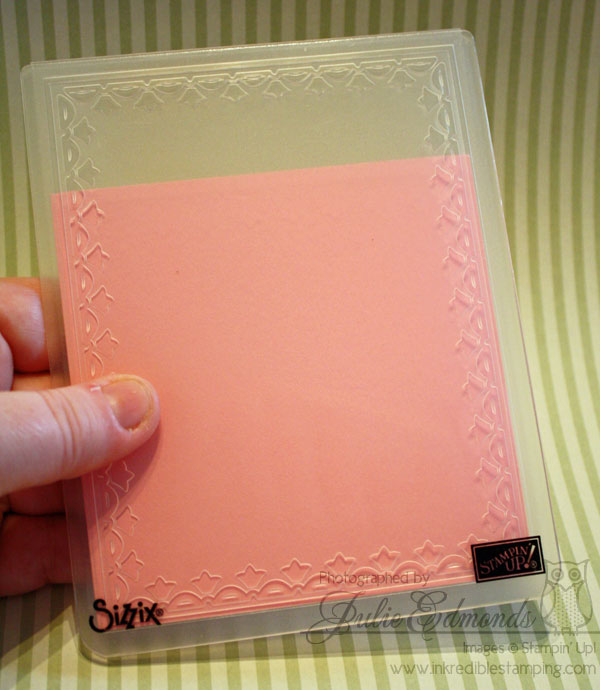
    2. Place it in your Framed Tulips embossing folder, do your best to center your card stock so you have even borders on the three sides. Look through the embossing folder to check your positioning.
    3. Create your normal embossing sandwich and run the stack through your Big Shot.
    4. Open your Embossing Folder and slide the card stock down to the bottom of the embossed design. Wiggle the card stock around a tad until you feel the already embossed design slide into place. You'll feel that it's lined up correctly. IMG_3096
    5. Again, create your normal Big Shot Sandwich and prepare the stack to be run through the Big Shot.
    6. Start turning the handle of your Big Shot, once you feel the pressure insrease (This means the embossing area is under the rollers), turn the handle about 1 time around. Now Stop and reverse the direction of your handle so you're backing the stack out of the Big Shot. (You don't want to run through the whole length of the big shot or you'll flatten the other side of the card stock where you've already embossed.
    7. Open your folder and you're finished!

    Don't worry if your embossing is not perfectly lined up. I promise you even if you're square's not perfect after you get your other decorations and layers on the card it will look beautiful!

    You can play around with other sizes of frames as well – try making a narrower rectangle to create a book mark!

    Visit my online store to purchase the Framed Tulips Embossing Folder and then start creating!


  • Hi Stampers,

    Are you ready for this week's ColorLab color Experiment?

    ColorChallenge30
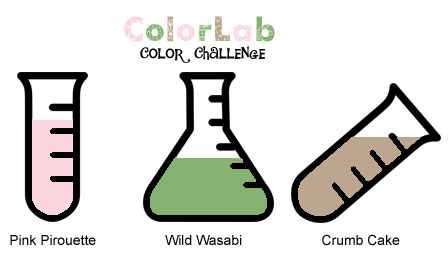
    The colors for this challenge are:

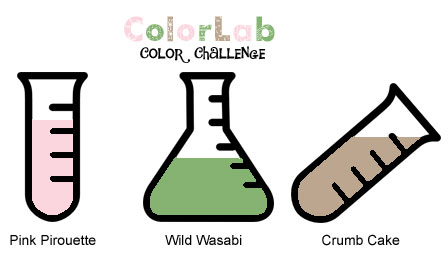
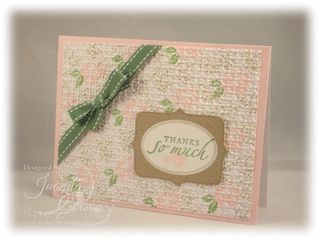
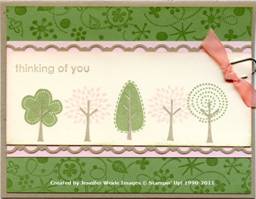
    Pink Pirouette, Wild Wasabi, and Crumb Cake

    Our Design Team Chemist have already conducted a few experiments to help inspire you. Check out their results and then get started on your own creations!

    Post your creation online and link directly to the project using Inlinkz.

    • Share your opinion of this color combo – visit the ColorLab, enter in the colors and you can search for the combo. Once you find the combo you can rate it!
    • We LOVE to use our Stampin’ Up! Products, but we welcome you to use any brand of product you wan to create your projects. If you're having trouble figuring out what colors will work for this challenge check out the ColorMatcher Lab – it will cross match colors between some of the most popular color lines out there!
    • Have fun being inspired and creating!
      
    Julie

    IMG_3013

    Jen

    IMG_0284

    Juanita

      ColorLabColorChallenge#30
    Jen T.

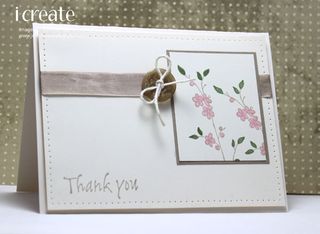
    CL30-SpringTree

    Jennifer

    Image001


    http://www.inlinkz.com/cs.php?id=37386

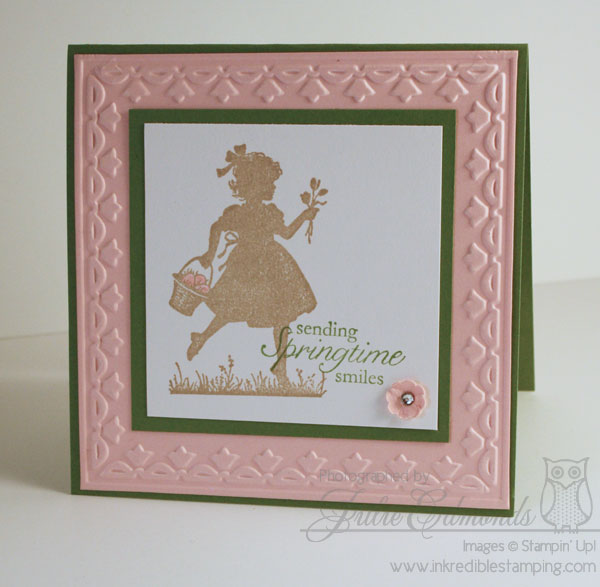
  • I have one more swap card from Branson Regionals to share with you all. This card was inspired by this week's My Create, Ink Color Challenge:

    ColorChallenge30
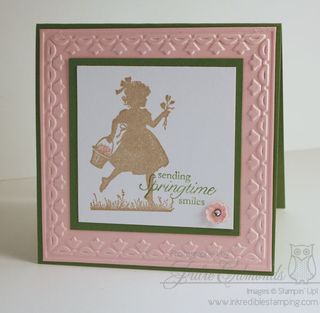
    The colors Pink Pirouette, Wild Wasabi, and Crumb Cake were just begging for a light spring time card.


    IMG_3013

    • Easter Blossoms Stamp Set
    • Wild Wasabi, Whisper White, and Pink Pirouette card stock
    • Wile Wasabi and Crumb Cake Classic Ink
    • Pink Pirouette Stampin' Write Marker
    • Basic Rhinestones Jewls
    • Framed Tulips Textures Impressions Embossing Folder
    • Bitty Pieces Punch Pack

    I used a very fun and simple techniqiue to alter the Embossing Folder so you get a square frame instead of a rectangle – I'll be posting more information on that later this week so be sure to check back in!


  • IMG_0689-edit
    I’ve got a tutorial to share with you all. Last November my team members asked me if we could get together so I could show them all how to make the Scallop Square Rag Bags that I gave out as Christmas Gifts the year before.

    We decided to have a day after Thanksgiving get together and make the bags – it was SO MUCH fun!! Of course that time of year is so busy that I never got a chance to blog abou it – but I had created a tutorial for my team members to take home so they would remember how to make the bags I an wanted to share with all of you! So I’m blogging now! Better late than never 🙂

    https://www.box.com/embed/u5jij6zm51evo76.swf>

    If you would like to find about more about the perks, meetings, and events I offer to my Create, Ink Demonstrator Team Members e-mail me – it’s Sale-a-bration time and that means a GREAT offer on signing up to become a demonstrator!


  • So yesterday was my little one day journey with my team members to Regionals in Branson. If was just a short half day regionals but my head came home so full of fun ideas!!

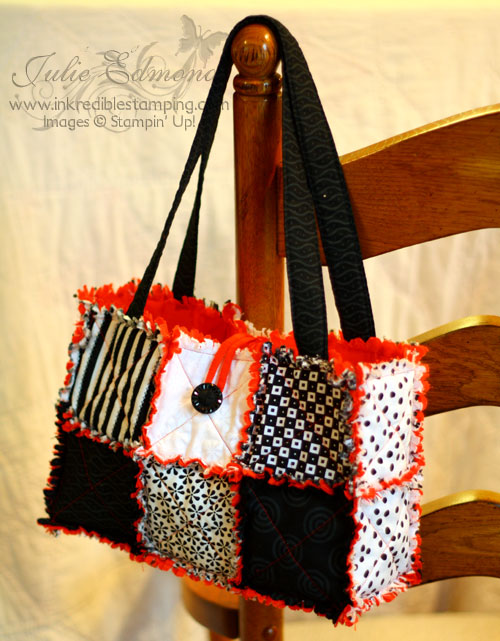
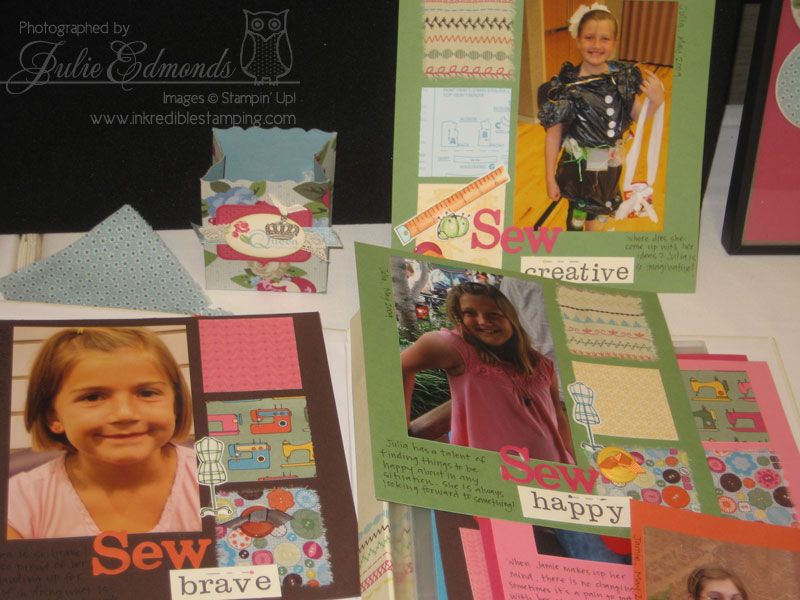
    One of the presentations was all about the Designer Fabrics – and there were a LOT of project ideas even for the non-sewers out there!

    Here's a few of the projects I snapped pictures of…

    IMG_0540

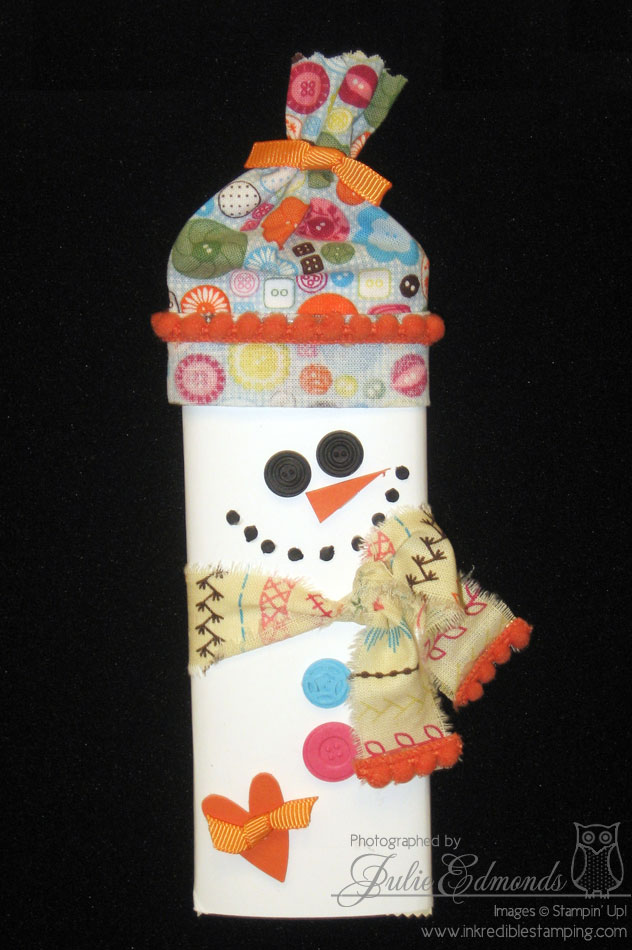
    ok how cute is this candy bar??? It looks too good to eat!

    IMG_0543

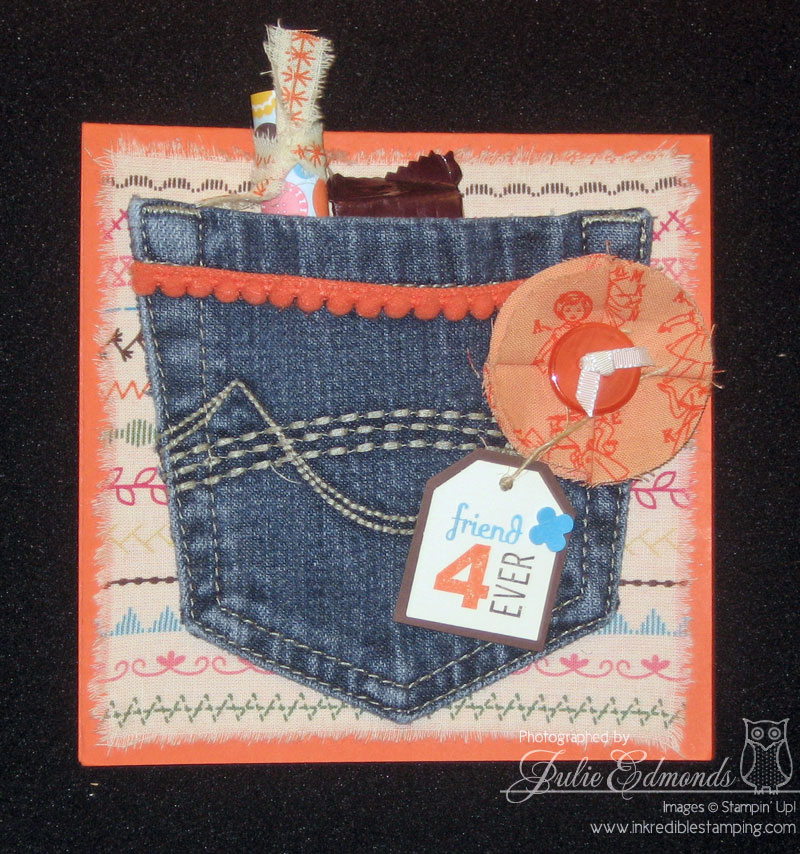
    This card was so easy – just tear a piece of fabric into a square – cut a pocket off a pair of jeans (Ok Mom's how many millions of pairs of out grown, worn out jeans do you have??? – And if you don't have many, don't worry – just try out a local thrift shop!) Tuck some goodies in the pocket, write a note inside the card and you've got a gift and card in one!

    IMG_0450

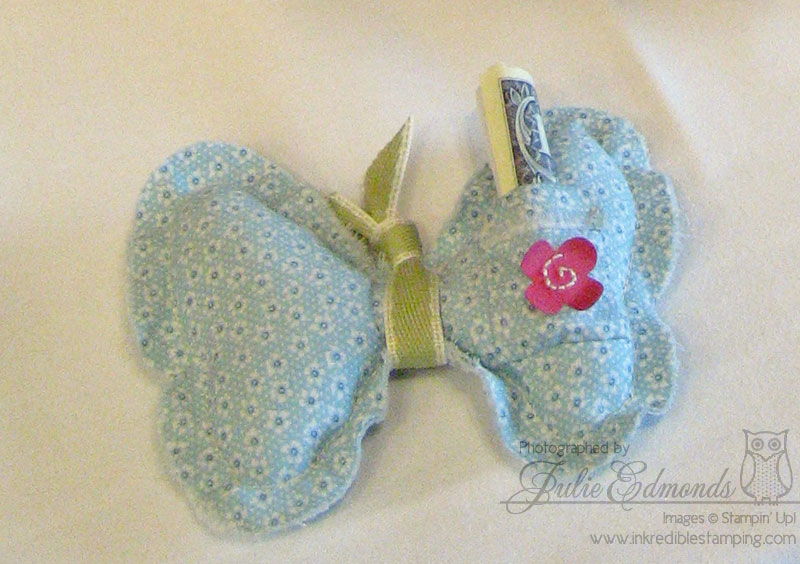
    There is a little sewing on this Tooth Fairy Pillow – but I think every little girl should have one of these. Just die cut two butterflies from the Designer Fabric, stitch a little pocket on one of the wings, then sew them together. Leave a little space to stuff the butterfly with batting then finish stitching. tie ribbon around the middle – do a little embelishing and your ready to tuck the tooth into the pocket! Then magically overnight that tooth becomes money!

    and one last picture to share with you

    IMG_0545

    A fabulous fabric favor box and some fun scrapbook pages with a little fabric flair – adding some squares of fabric onto the pages here and there, mixed in with the matching Desginer Series Paper adds a GREAT texture to the pages – it's a very simple way to get some WOW in your scrapbooking…

    With all this inspiration I know you'll be wanting to add some fabric to your projects – sew what are you waiting for?? Check out the Designer Fabrics here: Spring Time Vintage Designer Fabric and Sew Sweet Deisgner Fabric.


  • It's a Stampin' Up! tradition to give gifts to your roommates and downlines when you travel to a traning event like regionals – not that I really NEED a reason to spoil my downline 🙂

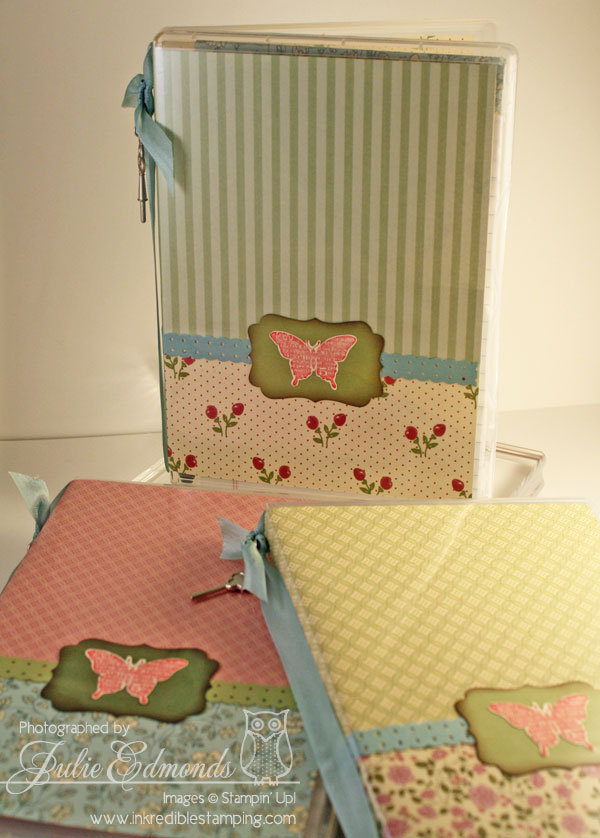
    This time I choose to make a note pad holder from the Stampin' Up! Clear Stamp Set holders – I've seen a few versions of this idea and I was excited to create my take on it.

    IMG_3036

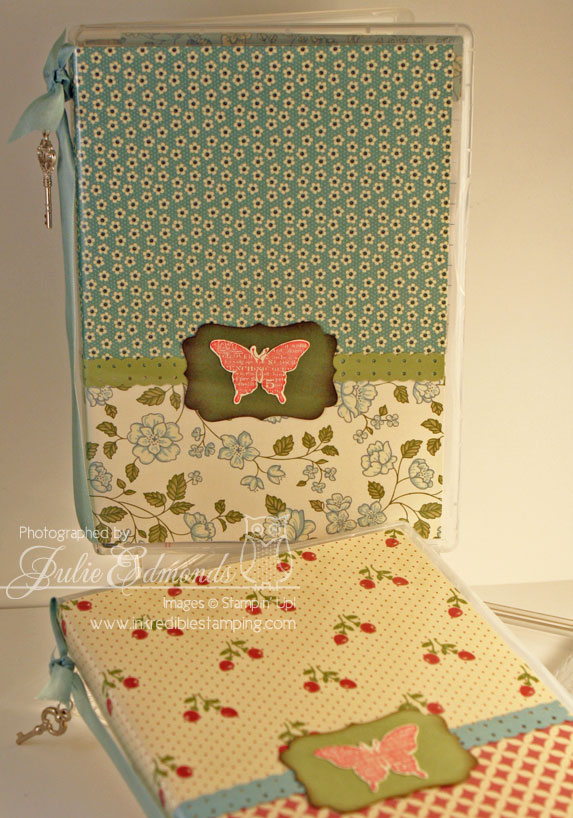
    I choose to use the Springtime Vintage Designer Series Paper along with the Bliss Stamp Set. I mixed up the different paper combos so everyone's note pad holder was a little different – I can't decide which one is my favorite – they all came out so great!

    IMG_3046

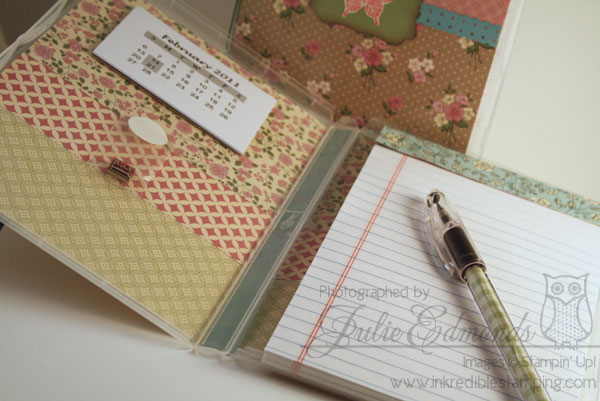
    Inside each case is a mini calendar, a note pad, and a pen. I also included an Italian charm inside each one – I always pick out a charm for everyone who attends regionals.

    IMG_3064

    To Create the Notepad holders:

    1. Cut a piece of Designer Series paper to 10-1/2 x 7 (Or use a combination of two different patterns of DSP as I did in these samples)
    2. Decorate with Stamps, punches, ribbon, etc. Let your creativity flow!
    3. Slide the decorated DSP into the front of the stamp case and then close the case. Use your finger to gently rub along the spine to help creast the folds.
    4. Open the case and add items to the inside. I used Sticky Strips to attach a mini calendar.
    5. The note pad should measure about 7 x 4-1/2 – I had the office supply store cut mine down when I bought them. Cover the top of the notepad with cordinating DSP. You can attach the notepad permentaly by using sticky strips or just set the notepad into the holder so you can easily remove it when you want.
    6. Use a piece of DSP to 1 x 3-1/4 and slide it inside a RSVP pen. The pen fits in the case along the side of the notepad.

    You can create your own Clear Mount Notepad Holders, the emply cases are sold in sets of four. Click here to buy a few sets and then get creative!!


  • I've been busy getting ready for Branson, MO Stampin' Up! regionals this coming weekend! It's just a quick day trip away – so I don't have to worry about packing bags but of course I had to make some swaps and a few other items which I'll share with you over the next couple of posts…

    First up is one of the swap cards I created to trade – I love coming home with so much inspirations!!

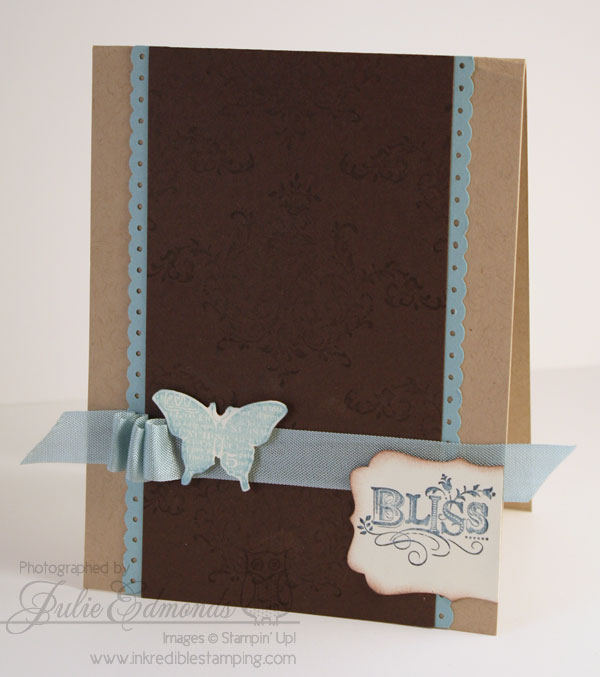
    IMG_3027

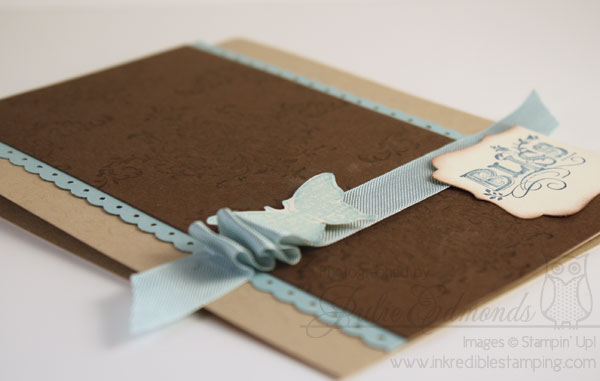
    The stamp set I used on this card, Bliss, is one of the sets you can earn free during Sale-a-Bration – it has to be one of my favorite sets ever so of course I had to use it!! I also wanted to play around with some pleated ribbon, such an easy techniqiue for a big wow!

    IMG_3023


    • Crumb Cake, Baja Breeze, Early Espresso, and Very Vanilla card stock
    • Early Espresso, Baja Breeze, and Not Quite Navy classic ink
    • Baja Breeze Seam Binding Ribbon
    • Decroative Label and Dotted Scallop Ribbon Punch
    • Sticky Strips
    • Stampin' Diminsionals

    Want to know more about earning this set or several other items free during Sale-a-bration? You'll find all the details here.

  • Hi Stampers,

    Are you ready for this week's ColorLab color Experiment?

    ColorChallenge29

    The colors for this challenge are:

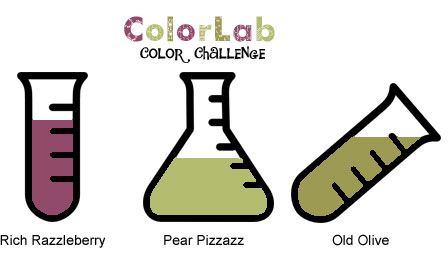
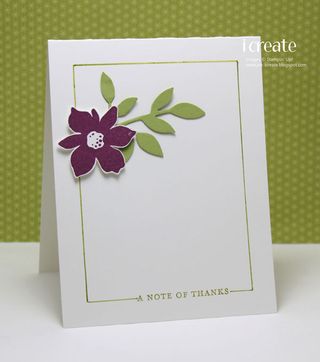
    Rich Razzleberry, Pear Pizzazz, and Old Olive

    Our Design Team Chemist have already conducted a few experiments to help inspire you. Check out their results and then get started on your own creations!

    Post your creation online and link directly to the project using Inlinkz.

    • Share your opinion of this color combo – visit the ColorLab, enter in the colors and you can search for the combo. Once you find the combo you can rate it!
    • We LOVE to use our Stampin’ Up! Products, but we welcome you to use any brand of product you wan to create your projects. If you're having trouble figuring out what colors will work for this challenge check out the ColorMatcher Lab – it will cross match colors between some of the most popular color lines out there!
    • Have fun being inspired and creating!
      
    Jen

      IMG_0269

    Juanita

      2011-February-004

    Jen T

      CL29,SSC190-OliveRazzleberr

    Jennifer

      ColorLab29


    http://www.inlinkz.com/cs.php?id=35333

  • I am so excited to see that Stampin' Up! just added a FABULOUS new resource for all us My Digital Studio users!

    They created a catalog that features all of the downloads and disk items. They've designed the catalog so you can use it as a resource to manage the downloads you have and which ones you still want to purchase. The catalog includes a box next to each download so you can track your current inventory of downloads. You can even print it out and fasten it in a binder to keep handy.

    The catalog gives a snapshot of the entire product line with artwork thumbnails followed by product details. Because MDS is regularly coming out with new artwork, the catalog will be updated every month and available to you on my blog and also on MyDigitalStudio.net in the just-added Resources section.

    Click Here to Download the New My Digital Studio Catalog.