Earlier in the week when I posted my Swap / Color Challenge Card I promised you I would post a tip on how to get the Tulipe Frame to become a square insteas of a rectangle. This is a super fun and easy trick. I love easy tricks that make your crafting supplies even more versitile than they already are!
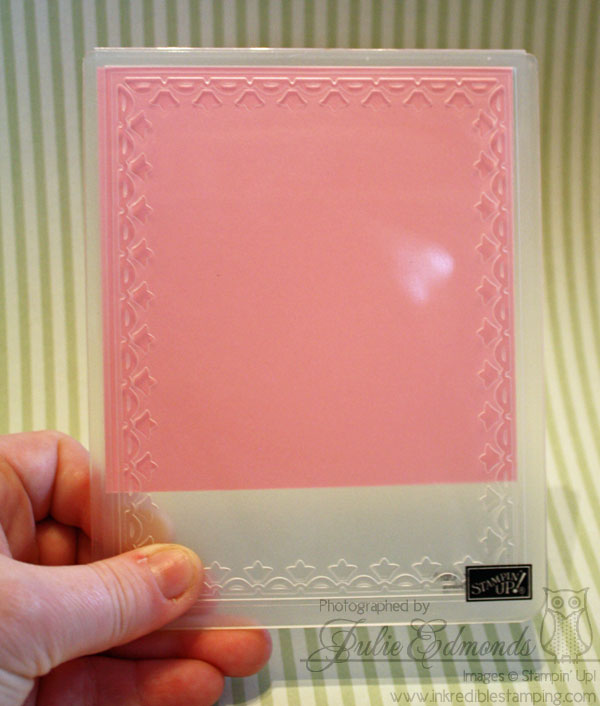
- Start with a square of card stock that measures 4-1/8" on all sides.
- Place it in your Framed Tulips embossing folder, do your best to center your card stock so you have even borders on the three sides. Look through the embossing folder to check your positioning.
- Create your normal embossing sandwich and run the stack through your Big Shot.
- Open your Embossing Folder and slide the card stock down to the bottom of the embossed design. Wiggle the card stock around a tad until you feel the already embossed design slide into place. You'll feel that it's lined up correctly.
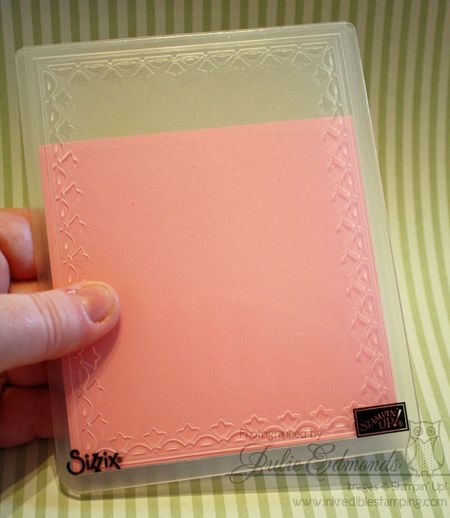
- Again, create your normal Big Shot Sandwich and prepare the stack to be run through the Big Shot.
- Start turning the handle of your Big Shot, once you feel the pressure insrease (This means the embossing area is under the rollers), turn the handle about 1 time around. Now Stop and reverse the direction of your handle so you're backing the stack out of the Big Shot. (You don't want to run through the whole length of the big shot or you'll flatten the other side of the card stock where you've already embossed.
- Open your folder and you're finished!
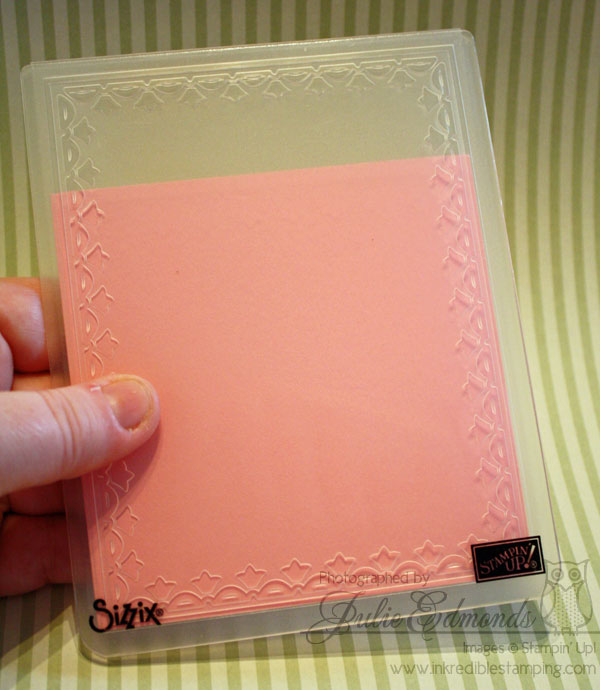
Don't worry if your embossing is not perfectly lined up. I promise you even if you're square's not perfect after you get your other decorations and layers on the card it will look beautiful!
You can play around with other sizes of frames as well – try making a narrower rectangle to create a book mark!
Visit my online store to purchase the Framed Tulips Embossing Folder and then start creating!


 Inkredible Stamping
Leave a reply to reina moore Cancel reply